
How to Manage SMM Panel Orders for Multiple Clients: Step-by-Step Guide
Managing five consumers sounds easy until their orders start coming in together. One client needs Instagram likes, another orders YouTube views, and someone else wants an update on a delayed service. Without a clear system, it's easy to mix up links, miss deadlines, or lose track of spending.
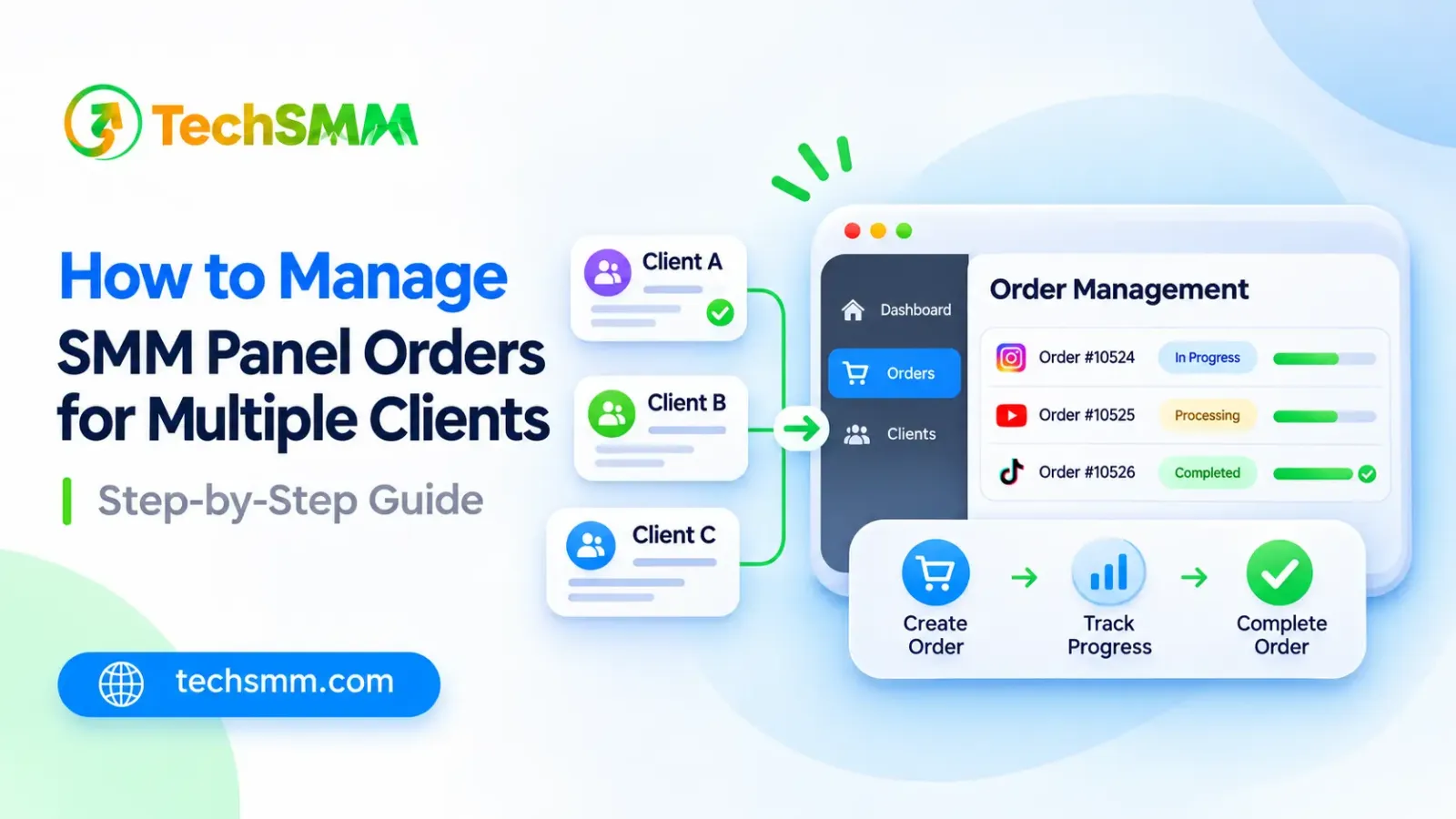
So, how to manage SMM panel orders for multiple clients without confusion? Start by keeping separate client records, checking every order before submission, and tracking delivery through order IDs.
A simple workflow can save time, prevent costly mistakes, and help you manage your workload across several social media campaigns.
Why Is Managing Multiple SMM Panel Orders Challenging?
When working with several clients, each campaign has different needs. One client may request 500 Instagram likes, while another needs 2,000 video views. Each service has its own price, delivery time, and refill conditions.
Troubles will start when you forget whose order it is and send the wrong link. Late delivery and misunderstandings with the consumer due to lack of updates may complicate everything.
For a digital marketing agency using social media service and content creation services across different social media accounts, tracking orders can become messy. A clear workflow helps streamline requests, deadlines, and consumer communication without complicated software.
What Should You Prepare Before Managing Client Orders?
Before you place any order, gather all the information that you would need from your client. This will help you to avoid asking questions again and again and making mistakes in submitting the order.
Gather the consumer's name, social media platform, campaign objective, target URL, and required quantity. During client onboarding, confirm the budget, campaign timeline, and approval before ordering. If you work with a brand, make sure the person requesting the service quality is authorized to approve the campaign.
Then, see if the profile or post in question can be accessed by anyone publicly. It might not be possible to deliver anything on a private or wrong URL.
Keep the details of each client separate. If one client wants Facebook post likes and the other YouTube video views, content strategy then note their service separately.
Also set realistic expectations. Purchased engagement does not automatically create social media growth, real customers, or stronger brand trust. The client’s wider marketing strategy matters too.
How to Manage SMM Panel Orders for Multiple Clients Step by Step
Managing many campaigns should start with working through all of them in the same manner. Rather than jumping randomly from one client to another, it is recommended to organize requests, confirm the information, provide services, and track the results.
Six points will help freelancers, agencies, and SMM resellers in organizing work.
Step 1: Organize Each Client's Orders Separately
Give each client a unique name or code in your tracking sheet. Use a simple template with separate rows for every campaign, even when two clients request the same service.
For instance, one entry can be labeled "Client A - Instagram November" while the other entry is named "Client B - YouTube Promotion."
Include contact information, budget, estimated delivery date, and the main contact for each client. This keeps campaign details in one place.
Step 2: Choose the Right Service for Each Client
Avoid ordering a package only based on the fact that it is the cheapest one. Consider parameters such as the description of the service, minimum and maximum volumes, delivery time, and refill terms.
Each campaign may require a different service. TechSMM lists social media marketing services for Instagram, Facebook, YouTube, and TikTok, among other platforms.
Choose the service that fits the client’s request and prioritize clear delivery conditions over unusually low prices. No provider can guarantee genuine audience interest from purchased engagement.
Step 3: Double-Check Links and Order Details
Any small error in the target link may influence the whole order process. Before placing your order, you should check whether the link is related to the correct client communication by opening it.
The Service ID, Platform, Quantity, Total Price, and Link URL should be checked. The URL must correspond to the type of service provided. In addition, you may see how to avoid wrong links and delivery problems.
Step 4: Submit Orders and Save Their IDs
Once the client approves the request and you have checked the details, place the order using your selected panel as a platform. For small orders, manual submission is often easier to review.
Your order ID helps you identify the transaction, check the order's progress, and contact support if there are any issues.
In case your provider allows mass orders, you can place several requests at once. However, first verify the format and service IDs.
For campaigns that need delivery in stages, drip-feed ordering may be another option when the selected service supports it.
Step 5: Monitor Order Status and Delivery
Once orders are placed, check their status on a regular basis. In most SMM panels, statuses will be Pending, Processing, Completed, Partial, and Canceled.
Do not place an order if you have not seen your initial order being started immediately. Instead, verify when the order is to start and its current status.
If the order shows Completed, then check the number of deliveries against the order made by the client.
Step 6: Use Automation for Repetitive Orders
As your client list grows, manually processing every request takes more time. Some SMM panels offer an API that lets a compatible reseller system place orders and retrieve status updates.
A reseller panel may help teams automate repeat submissions when its API is supported. Agencies with a reseller storefront still need to match incoming orders to the correct clients. This can centralize order updates across campaigns; however, confirm that the backend integration works before relying on it.
If you have only a couple of clients, start manually. Check the provider’s API details before integrating it into your system, and verify that automation does not create duplicate orders.
How Can You Track Multiple Client Orders Without Confusion?

A spreadsheet is one of the easiest ways to monitor orders for several customers. You can use Google Sheets or Excel as a basic dashboard to keep essential information in one place.
Here's a simple example:
The order IDs and prices above are examples.
Add columns for order date, service ID, target URL, quantity, and refill deadline. Track one useful metric for each order, such as the delivered quantity. Keep support notes beside requests that need attention.
Check active orders at least once during your working day and update the sheet whenever a status changes. For urgent campaigns, review progress more frequently.
You can also filter your records by client or delivery status. This lets you find delayed requests without searching through every completed order.
For agencies, the same sheet can support weekly client reports and spending summaries. You can pair order records with platform analytics to distinguish delivered counts from actual audience response.
How Can You Control Client Budgets and Order Costs?
Managing several clients means keeping their money and order expenses separate. Set a spending limit for each campaign before purchasing any service.
Record the actual service cost, the amount you charge the client, and any additional expenses. This helps you identify which campaigns are profitable.
For example, if a client pays $20 and the service costs $12, your gross profit is $8 before other expenses.
If you resell services regularly, learning how to calculate SMM panel reseller profit can help you set more suitable prices.
Always check your available panel balance before submitting orders. Don't use one client's remaining budget to cover another campaign without authorization.
Review spending weekly to catch unexpected charges and keep your records accurate. Leave room in the budget for new requests after a campaign launch.
How Can TechSMM Help You Manage Multiple Client Orders?

TechSMM offers social media marketing services for freelancers, agencies, and resellers who handle different client requirements.
The platform lists Instagram, Facebook, YouTube, LinkedIn, Telegram, and other services, allowing users to compare available options through one provider.
You can review service details, check current pricing, and place orders based on your clients' requests. TechSMM also provides access to account management and reseller-related features, including API information.
Keep each order ID and client record organized. If a client sends an inquiry about delivery, the reference number makes it easier to identify the right transaction.
Before getting started, review the available packages and order conditions. Whether clients request help with their social presence or a specific post, confirm the service requirements and monitor delivery through the available account tools.
Frequently Asked Questions
1. Can I Manage Multiple Client Orders From One TechSMM Account?
Yes, you can organize different client orders using their order IDs. Keep separate records for each client to avoid confusion.
2. Does TechSMM Offer Services for Different Social Media Platforms?
Yes. TechSMM lists services for Instagram, Facebook, YouTube, Telegram, and other platforms.
3. Can I Use an API to Manage SMM Panel Orders?
Yes, if your provider supports API integration. Check the available features and documentation before connecting your system.
4. How Do I Handle a Delayed SMM Panel Order?
Check the order status and expected delivery time. If the delay exceeds the stated conditions, contact support with the order ID.
5. What Is the Best Way to Avoid Duplicate Client Orders?
Check the existing order ID and status before submitting another request for the same service and target link.
Final Thoughts
Knowing how to manage SMM panel orders for multiple clients can save time and prevent unnecessary mistakes.
Keep separate client records, verify links before ordering, track delivery regularly, and manage campaign budgets carefully.
If you handle several accounts, start with a simple tracking sheet and review your provider’s available services. Keep client outreach and reporting separate from order delivery, so clients understand what each service can and cannot achieve.