
What Is Drip Feed in SMM Panel Orders? How It Works
Have you ever wanted to receive social media followers, likes, or views in smaller amounts instead of getting everything at once? Many SMM panel users prefer to schedule their orders rather than receive the full quantity in one delivery. But what is drip feed in SMM panel orders, and how does it work?
Drip feed is a scheduling feature that divides an order into smaller runs over selected time intervals. It gives users more control over how their orders are scheduled. In this guide, you will learn how drip feed works, its benefits, how to set it up, and when to use it for social media marketing.
What Is Drip Feed in SMM Panel Orders?
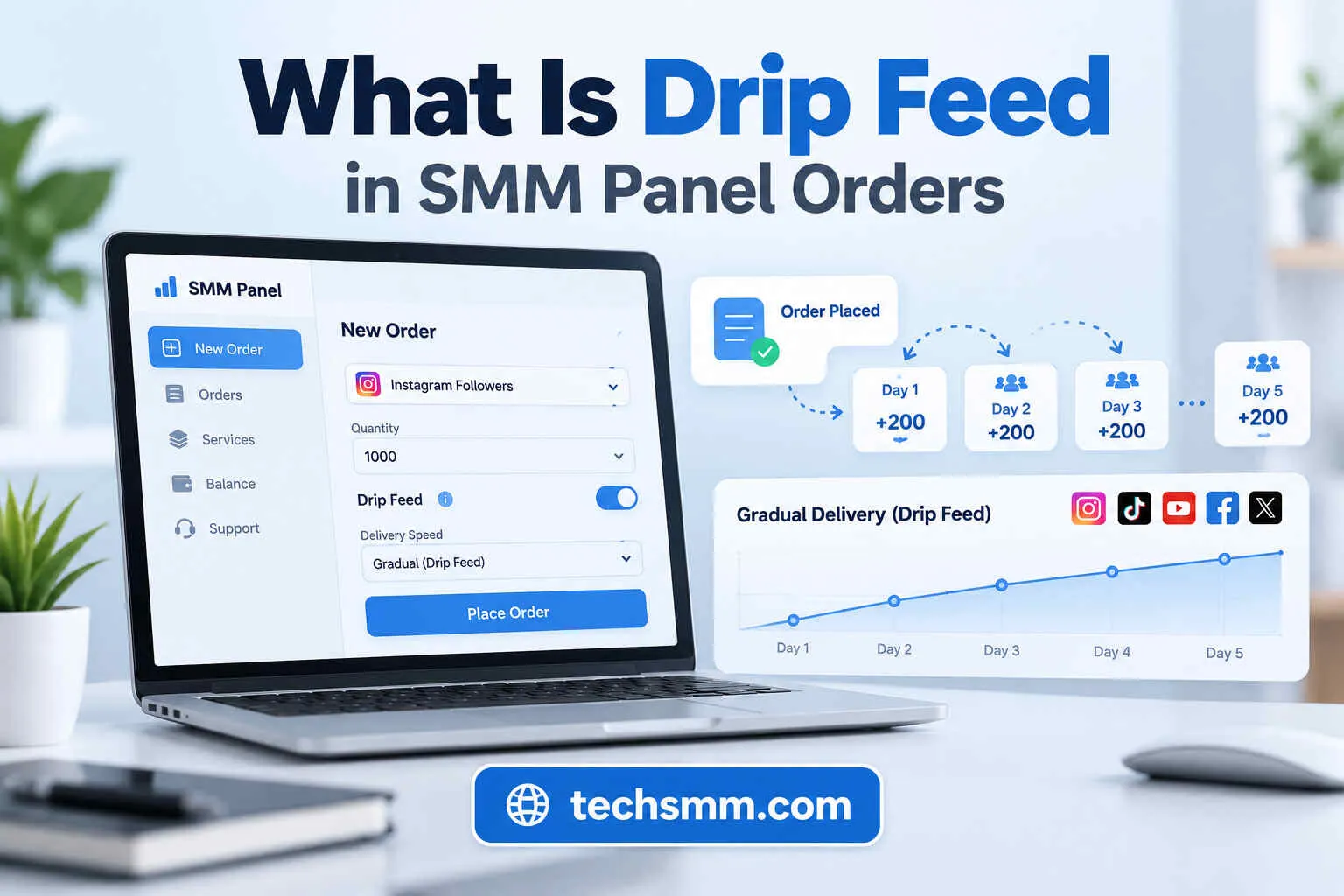
Drip feed in an SMM panel is a feature that allows users to schedule social media services in multiple smaller orders instead of placing one large order. It uses three main settings: quantity, runs, and interval.
Suppose you want to order 1,000 Instagram likes. Instead of requesting all 1,000 likes in one order, you could schedule 200 likes across five runs, with a 24-hour interval between the runs. This creates a planned delivery schedule. However, the actual delivery time depends on the selected service and provider.
Drip feed can be useful for social media marketers, content creators, and resellers who want greater control over order scheduling. Not every SMM panel service supports this feature. You should always check the service description before placing an order.
How Does Drip Feed Work in an SMM Panel?
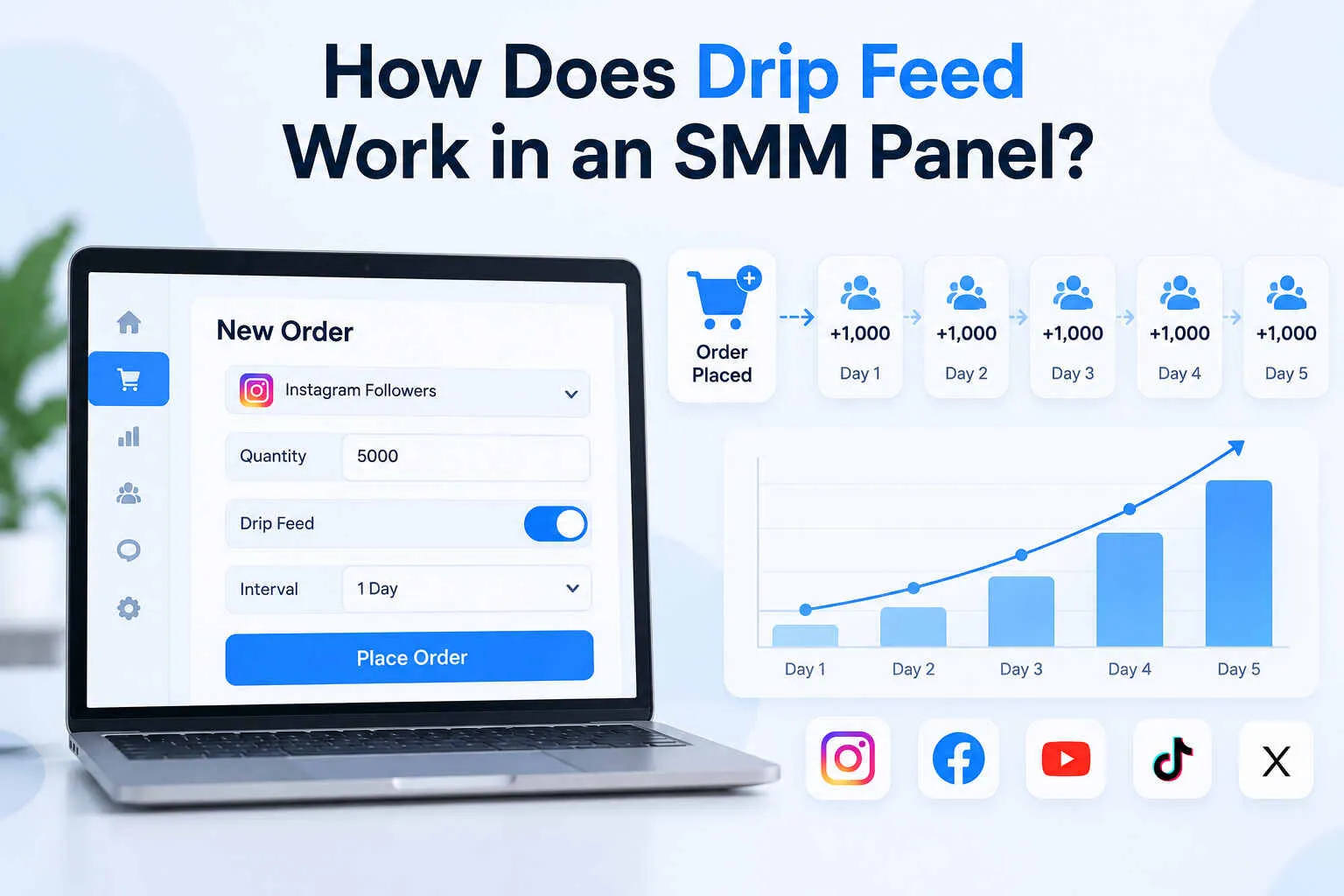
Drip feed works by dividing a social media order into smaller runs based on the settings selected by the user. Instead of processing the full order as a single request, the panel schedules repeated orders over a chosen period.
Three important settings control how the process works.
1. Quantity
Quantity is the number of followers, likes, views, or other service units requested in each run. If you enter 100 likes as the quantity per run, each scheduled run will request 100 likes.
2. Runs
Runs refer to the number of times the order will repeat. If you select five runs, the system schedules five separate batches according to the chosen settings.
3. Interval
Interval is the time between scheduled runs. Depending on the panel, this may be measured in minutes or hours. An interval of 24 hours means the system schedules the next run 24 hours after the previous scheduled run.
Example of a Drip Feed Order
Suppose you select these settings:
The basic calculation is:
Total Quantity = Quantity per Run × Number of Runs
200 × 5 = 1,000 likes.
If the first run starts immediately, the fifth run would be scheduled 96 hours after the first. Actual delivery may take longer because processing time is separate from the interval.
Some panels define quantity differently, so always check whether the order form means quantity per run or total quantity.
What Are the Benefits of Using Drip Feed for SMM Orders?
Drip feed offers several practical benefits for people managing social media marketing orders. Its main advantage is scheduling control rather than guaranteed improvements in engagement quality.
1. Gradual Delivery of Social Media Engagement
A common advantage to drip feeding is the capacity to break up a large order into smaller planned orders. It is better for a marketer to order 1000 video views in 5 orders instead of one large order.
This helps in the scheduling of ordering. It is not a real user engagement, it's a gradual delivery. It is also not a guarantee that the activity will be taken seriously by the social media platforms.
2. Better Control Over Order Speed
The option of drip feed enables the user to pick the frequency that new runs are to be scheduled.
You could do a run every 12 hours, or every 24 hours, for instance, depending on the service settings that are available.
This is useful to users when they want to order something based on a campaign. The interval does not reflect how fast the processing takes place, but rather the frequency with which they are scheduled. The delivery of the requested quantity could be delayed due to service or provider constraints.
3. Support for Long-Term Campaigns
Social media campaigns can last for days or even weeks. There can be additional time spent on managing repeated orders manually. A drip feed schedule can assist organise regular service requests during a campaign.
A social media manager who is performing a seven day campaign could schedule runs to determine the amount of services that are requested each day.
This feature will help with campaign management, but it is not a substitute for helpful material, research, ads, or real community interaction.
4. Flexible Order Scheduling
Flexibility is another reason some marketers prefer drip feed services. You can adjust the number of runs and intervals according to the options supported by the selected provider.
A short campaign might need fewer runs with shorter intervals. A longer campaign may require more runs across several days. This flexibility is also useful for resellers who manage multiple customer requests.
Before scheduling an order, review the total quantity and cost carefully. More runs do not automatically make a service cheaper or more effective.
How to Set Up a Drip Feed Order in an SMM Panel
Setting up a drip feed order usually takes only a few steps. The exact process depends on the panel and whether the selected service supports drip feed scheduling.
Step 1: Choose a Service That Supports Drip Feed
First, sign in to your SMM panel account and open the available service list. Choose the social media platform you want to use, such as Facebook, Instagram, TikTok, or YouTube.
Next, review the service description and look for a drip feed option. Some services support regular orders only, while others allow additional scheduling settings. Check the minimum quantity, maximum quantity, delivery conditions, and service restrictions before continuing.
Step 2: Enter the Target Link and Order Quantity
After selecting a suitable service, enter the correct target URL. Depending on the service, this could be a public Facebook post, Instagram Reel, TikTok video, or YouTube video link. Make sure the link is correct and accessible.
Next, enter the quantity requested for each run, if that is how the panel defines the quantity field. You might request 100 likes per run. Do not confuse the quantity for a single run with the total quantity of the complete order.
Step 3: Set the Runs and Interval
Now enter the number of runs and the interval. Suppose you want 500 likes delivered through five scheduled runs.
You could choose:
- Quantity: 100 likes per run
- Runs: 5
- Interval: 24 hours
- Total quantity: 500 likes
The panel will schedule the batches according to these settings.
Before submitting, check the estimated cost, service limits, and expected scheduling period.
Remember that the final completion time may be longer than the time between the first and last scheduled runs.
Step 4: Submit and Monitor Your Order
Once everything looks correct, submit your order. If the panel provides order tracking, use the order ID or dashboard to monitor progress. Check whether the order is pending, processing, completed, or partially completed.
If the order becomes delayed or stops unexpectedly, contact customer support with your order details. Avoid placing overlapping orders for the same service and target until you understand how the provider handles them.
Drip Feed vs. Regular SMM Panel Orders: What Is the Difference?
The main difference between drip feed and regular SMM panel orders is how the requested quantity is scheduled.
A regular order submits the selected quantity as one request. A drip feed order divides the requested service into multiple scheduled runs.
Here is a simple comparison.
For example, someone ordering 2,000 Facebook followers may choose a regular order if they only need one request.
Another user might prefer several scheduled runs if the provider supports that option.
Neither method guarantees real followers, improved reach, or better engagement.
Before choosing, compare service descriptions, prices, and delivery conditions.
If you are considering Facebook services, TechSMM's guide on how much it costs to buy Facebook followers explains the factors that influence package pricing.
How to Use Drip Feed Services on TechSMM
TechSMM is a social media marketing panel that provides services for platforms such as Facebook, Instagram, TikTok, YouTube, and Telegram. The platform offers different service categories for people managing social media accounts and marketing campaigns.
If you want to use drip feed scheduling through TechSMM, the first step is to check whether your selected service supports this feature.
Visit the TechSMM services page and explore the available categories.
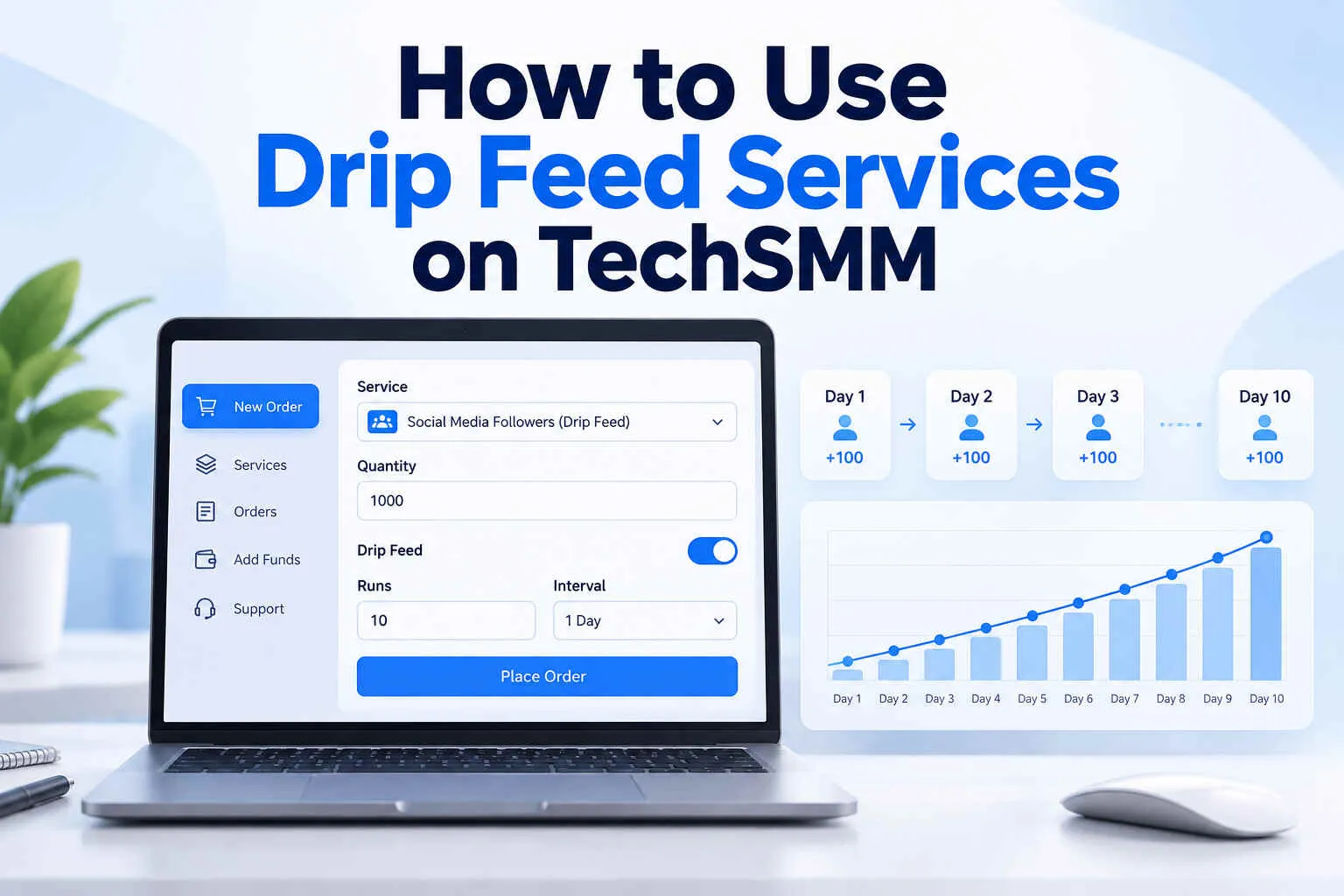
After choosing a service, sign in to your account and review the order form. If drip feed is available for that specific service, follow its displayed instructions to set the quantity, runs, and interval.
A supported service might allow you to schedule 200 likes across five separate runs. Review the total quantity and price before submitting the request. Once your order is placed, use any available order tracking tools to monitor its progress.
If you cannot find the drip feed option, contact TechSMM support to confirm whether the selected service offers scheduled runs. Do not assume that every Facebook, Instagram, or YouTube package includes drip feed functionality.
Why Choose TechSMM for Drip Feed SMM Panel Orders?
TechSMM is an option worth exploring if you need social media marketing services and want to compare packages before placing an order. The platform provides several service categories and focuses on making social media order management accessible to individuals, businesses, agencies, and resellers.
Here are some reasons to consider TechSMM.
Multiple Social Media Services
TechSMM lists services for popular platforms, including Facebook, Instagram, TikTok, YouTube, Telegram, and other networks. Users can explore different categories and compare available packages based on their marketing needs.
Service Pricing and Package Options
Different social media services come with different prices, quantities, and delivery conditions. TechSMM allows users to explore its available packages. Check the current rate and service description before ordering.
Order Management
Managing social media orders requires clear records and an understanding of delivery progress.
TechSMM promotes order management features that can help users organize their service requests. For drip feed orders, confirm that the selected package supports repeated scheduling before placing the order.
Local Payment Options
TechSMM advertises payment support for Bangladeshi customers, including bKash and Nagad. This can be helpful for local users who prefer familiar payment methods.
Useful for SMM Resellers
SMM resellers often need to calculate service costs, customer prices, and profit margins. If you run an SMM reselling business, understanding order costs is especially important when handling repeated service requests.
You can explore TechSMM's guide on how to calculate SMM panel reseller profit to understand pricing, expenses, and profit margins.
TechSMM can be considered for general SMM services, but drip feed availability, scheduling limits, and specific order conditions should always be confirmed for the selected package.
Frequently Asked Questions
What does drip feed mean in an SMM panel?
Drip feed is an SMM panel feature that schedules an order in smaller runs over selected time intervals. It allows users to control the number of runs, the quantity requested in each run, and the scheduling frequency instead of placing one large order.
Is drip feed better than a regular SMM order?
It depends on your needs. Drip feed is useful when you want repeated, scheduled orders. A regular order is simpler when you only need one service request. Neither method guarantees better engagement, authentic followers, or improved social media performance.
How long does a drip feed order take?
The scheduling period depends on the number of runs and the selected interval. For example, five runs scheduled 24 hours apart span 96 hours from the first scheduled run to the last. Actual completion may take longer depending on service processing times and delays.
Can I cancel a drip feed order?
Cancellation depends on the SMM panel provider, the selected service, and the current order status. Some providers may allow cancellation before processing begins, while others restrict cancellations after runs have started. Always read the cancellation and refund conditions before ordering.
Does every SMM panel support drip feed?
No. Not every SMM panel or service supports drip feed. Some panels only provide regular orders, while others offer scheduling on selected packages. Check the available order settings and service description, or contact customer support to confirm availability.
Conclusion
Understanding what is drip feed in SMM panel orders can help you manage social media service requests more effectively. This feature divides orders into smaller scheduled runs using quantity, runs, and interval settings.
Drip feed can be useful for repeated orders, campaign planning, and organized service management. However, it does not guarantee genuine engagement, account safety, or better social media results.
Before placing an order, always check the service limits, total quantity, estimated cost, and delivery conditions.
If you are considering TechSMM, explore its available services and confirm whether your chosen package supports drip feed scheduling. Start with a suitable order and monitor its progress carefully.