
If you're wondering how to know if a SMM panel is offline, you're not alone. Whether you're a reseller, digital marketer, or business owner, an unavailable SMM panel can delay campaigns, affect client trust, and create unnecessary confusion. The good news is that most offline issues leave clear signs that you can identify within minutes.
This guide explains how to detect downtime, distinguish server problems from local device issues, and understand what to do before assuming your provider has stopped working.
Why It Is Important to Confirm an SMM Panel Is Actually Offline
Many users assume their provider has gone offline the moment they cannot log in or place an order. However, that is not always the case. Sometimes the problem comes from your internet connection, browser cache, DNS, firewall, or even temporary maintenance.
Checking the actual cause first saves time and prevents unnecessary support tickets. It also helps you decide whether you should wait, troubleshoot your own device, or contact the provider.
If you're using TechSMM, confirming the source of the issue before taking action helps you avoid interrupting your marketing workflow.
As we move forward, let's examine the most common signs that indicate a panel is genuinely unavailable.
Common Signs That an SMM Panel Is Offline
Every SMM panel behaves differently during downtime, but several warning signs appear consistently. Recognizing these early indicators allows you to react quickly instead of guessing what happened.
The SMM Panel Website Is Not Loading
One of the easiest symptoms is when the smm panel website not loading issue affects every page.
Typical signs include:
- Infinite loading
- 502 Bad Gateway
- 503 Service Unavailable
- Cloudflare timeout
- Blank white screen
- Database connection errors
If these errors continue across multiple browsers and devices, there is a strong chance that the server is experiencing downtime rather than a problem on your computer.
Before assuming the worst, however, you should verify whether the issue exists for everyone or only for you.
SMM Panel Login Not Working
Sometimes the homepage opens normally, but the smm panel login not working issue prevents users from accessing their dashboard.
Possible causes include:
Try clearing browser cookies or logging in from another device. If the problem remains consistent, the authentication server may be temporarily unavailable.
The next indicator becomes even more obvious once you access your dashboard.
How to Check If an SMM Panel Is Down
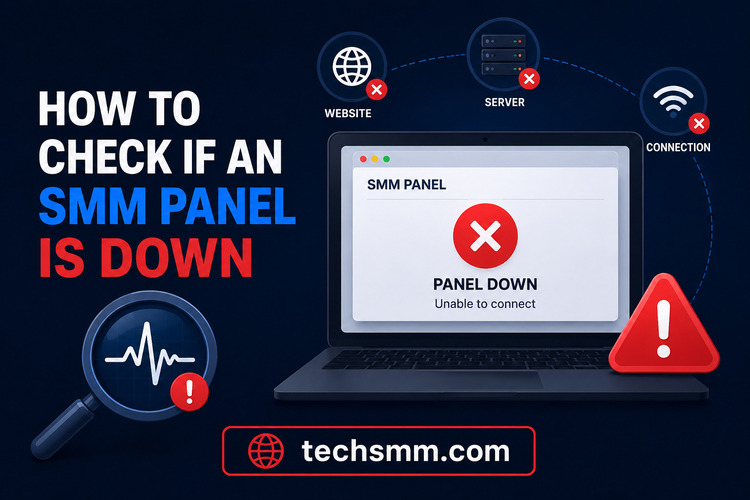 Instead of relying on assumptions, it's better to verify the service using several methods. This approach helps eliminate false alarms caused by local network issues.
Test From Multiple Devices
The easiest way to how to check if an smm panel is down is by opening the website from:
- Mobile data
- Another Wi-Fi connection
- Different browser
- Another computer
If all devices fail to connect, the issue is likely on the provider's side.
If only one device cannot access the website, the problem is probably local.
After checking multiple devices, online monitoring tools can provide additional confirmation.
Use Website Monitoring Services
Several free monitoring websites allow you to determine whether a website is unreachable globally.
These services verify:
- HTTP status
- DNS response
- SSL certificate
- Server availability
- Geographic accessibility
If multiple monitoring services report downtime, you can be more confident that the provider is facing technical issues.
The next step is understanding what happens after you successfully log in but orders still fail.
Why Are Orders Not Processing?
Sometimes the panel remains online while services stop working. This situation often creates confusion because users assume the website is functioning normally.
SMM Panel Orders Not Processing
The smm panel orders not processing problem usually occurs when providers experience API interruptions or supplier delays.
Common reasons include:
- Provider maintenance
- API synchronization failure
- Supplier inventory shortage
- Queue congestion
- Temporary service suspension
If your dashboard loads normally but every order stays Pending for several hours, the backend provider may be experiencing temporary issues.
Choosing a reliable provider significantly reduces these interruptions, especially when campaigns depend on timely delivery.
If you're interested in safer social media growth strategies, how to grow Instagram followers with SMM panel explains how reliable delivery improves campaign consistency.
Understanding order issues naturally leads to identifying server-side failures.
How to Identify an SMM Panel Server Down Situation
A genuine smm panel server down event usually affects every user simultaneously.
Typical server symptoms include:
- Dashboard unavailable
- API returns errors
- Login disabled
- Orders stop updating
- Support pages inaccessible
- Slow response across every page
Unlike browser problems, server outages affect users regardless of their location.
Professional providers generally restore service quickly and notify customers through announcements or maintenance notices.
But server outages aren't the only reason users experience problems.
Why Is My SMM Panel Not Working?
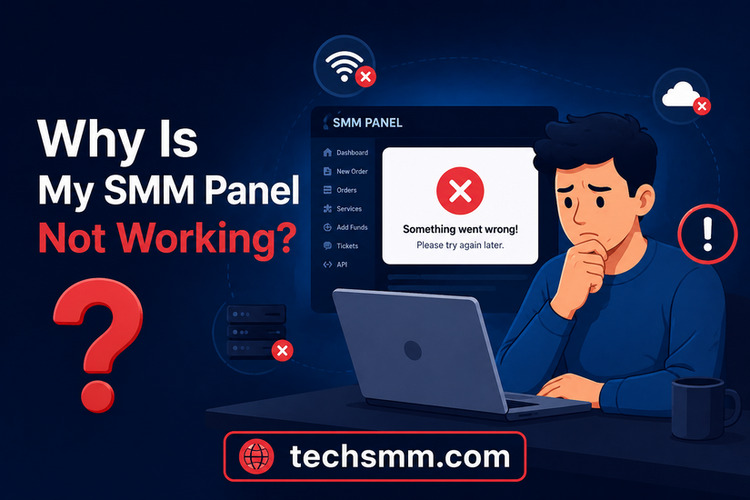 The question why is my smm panel not working has many possible answers, and not all involve the provider.
Before contacting support, check these possibilities.
Local Issues
- Internet connection
- VPN conflicts
- Browser cache
- Antivirus blocking requests
- Incorrect DNS
Provider Issues
- Scheduled maintenance
- Database upgrades
- Server migration
- API provider downtime
- Security protection
Checking both local and provider-related causes prevents unnecessary troubleshooting and speeds up resolution.
Next, let's discuss practical solutions that users can try immediately.
How to Fix SMM Panel Not Working
If you're searching for how to fix smm panel not working, begin with the simplest solutions before assuming the service has failed permanently.
Step 1
Refresh the browser using Ctrl + F5.
Step 2
Clear browser cache and cookies.
Step 3
Disable VPN temporarily.
Step 4
Switch to another internet connection.
Step 5
Try another browser.
Step 6
Restart your device.
Step 7
Wait 15–30 minutes before checking again.
Most temporary issues resolve themselves within a short period.
If the problem persists beyond several hours, contact the panel's support team with screenshots and timestamps.
Since reliability matters, it's also worth understanding how trustworthy SMM panels operate.
If you're concerned about platform safety, can SMM panel ban your account discusses responsible usage and common misconceptions.
How Reliable SMM Panels Handle Downtime
Professional SMM providers prepare for outages before they happen.
Good providers usually offer:
- Backup servers
- Status updates
- Automatic monitoring
- API redundancy
- Fast technical support
- Maintenance announcements
These practices minimize customer disruption and build long-term trust.
Reliable companies also communicate openly instead of leaving users wondering whether the service has disappeared.
If your marketing depends on YouTube growth, are SMM panels used after YouTube monetization explains how experienced creators continue using quality providers responsibly.
Understanding provider reliability helps you decide whether temporary downtime is normal or a warning sign to switch services.
Best Practices to Avoid Future Downtime Problems
Although no online platform can guarantee 100% uptime, you can reduce risks by following a few practical habits.
These habits help agencies, resellers, and marketers continue serving clients even during temporary interruptions.
Final Thoughts
Understanding how to know if a smm panel is offline helps you avoid unnecessary panic, diagnose problems correctly, and respond more efficiently.
Before assuming the provider is offline, verify the issue by checking from multiple devices, using website monitoring tools, and trying basic troubleshooting steps.
Most outages are temporary. Focus on confirming real server downtime and choose providers with reliable infrastructure, responsive support, and clear communication.
By following the checks explained in this guide, you'll spend less time guessing and more time managing successful social media campaigns.